

Whether you are just starting to build in The Sims 4 or you have been at it for a while but want to build cooler things, this article is definitely for you. My name is Suzanne, but you can find me on YouTube and on my social media as Syusims and I love building in The Sims 4; in fact, when I started my channel that was all I did. That is why today I bring you this mini guide of building tips for The Sims 4 + the mods I recommend that you can use to make your builds look great.
BUILDING TIPS FOR THE SIMS 4
First things first. There are some cheats you can use without needing any mod, and they are the ones you can “turn on” with the cheat console. If you want to see the full list of Sims 4 cheats you just have to click here.
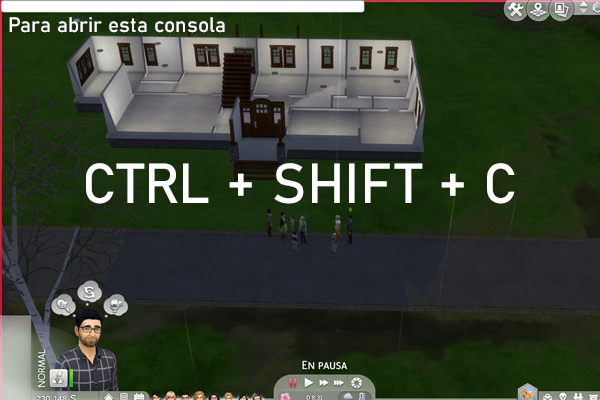
To open the game console and access the cheats you must press the following at the same time on your keyboard:
to open the console on a PC press Ctrl + Shift + C
to open the console on a MAC press Command + Shift + C
to open the console on PlayStation 4 press L1 + L2 + R1 + R2
to open the console on Xbox One press LB + LT + RB + RT
Once you do, a bar will appear at the top left of the screen where you can type the cheat, but FIRST YOU MUST ENABLE CHEATS .
To enable Cheats and make them work, you must type testingcheats true or on and then press enter
Then, the next cheat I ALWAYS use is BB.MOVEOBJECTS.
Once you have cheats activated, in the same console, enter bb.moveobjects and this way you will be able to place objects wherever you want and move them at will; this is very important if you want your builds to look different and more realistic.
DEBUG MENU FOR MORE OBJECTS IN THE SIMS 4
Did you know that in The Sims 4 we have a hidden menu? Yes, in this menu there are many more objects; they are somewhat hidden, but they are there. You can use them to build and to decorate; not all of them are playable, but if you want to use those objects you see in the world to decorate your home's garden or its interior, you can find them in this menu.
HOW TO ACCESS THE SIMS 4 DEBUG MENU
Accessing the Sims 4 debug menu is very simple. You must have the cheat console open, as I explained above. Then you must enter the codes bb.ShowHiddenObjects and finally bb.ShowLiveEditObjects for this cheat to work.
If you want to see how I access this menu you can watch this video on my YouTube channel:
But besides teaching you how to access the debug menu, I show you some other cheats that very few people know about. So hit play on the video above and become an expert at building in The Sims 4.
RECOMMENDED MODS FOR BUILDING IN THE SIMS 4
Surely there are many mods that will help you build like a Pro in The Sims 4, but today I am going to recommend 2, and they are from the same creator.
BETTER BUILDBUY: ORGANIZED DEBUG
This mod lets you organize the Debug menu. Yes, what I did not tell you above is that the debug menu is A MESS, but this creator made a mod that organizes this menu and believe me, it makes a difference. Since I installed it I have not stopped using it. Watch this video where I use it:
If you want to download this mod, here is the link to the creator's page so you can go and get it straight from the source.
THE T.O.O.L. MOD
This Mod, also created by twistedmexi, lets you grab objects and move them any way you want and even place them outside the Lot. When I tell you that you can move objects and place them any way you want, I mean you can change their orientation and have complete control over it.
I must confess that I have not mastered this mod yet, but I recommend it because I have seen incredible builds and great speed builds that use this mod and I have been amazed. If you want to see the full tutorial made by the creator himself, here is the YouTube video:
And if you want to download the Tool Mod you can go to TwistedMexi's Patreon to get it